iPad & phone intake
Patients check in on the office iPad or scan a QR code on their own phone. A tap-to-mark body map shows exactly where it hurts, in English or Español.
Patients check in on an iPad or their own phone, tap where it hurts, and sign the real New York forms on screen. You get the signed packet, the NF-2 clock already ticking, and every case in one calm place.
From the moment a patient walks in to the day the insurer pays, Clearwell keeps each step simple, friendly and hard to get wrong.
Patients check in on the office iPad or scan a QR code on their own phone. A tap-to-mark body map shows exactly where it hurts, in English or Español.
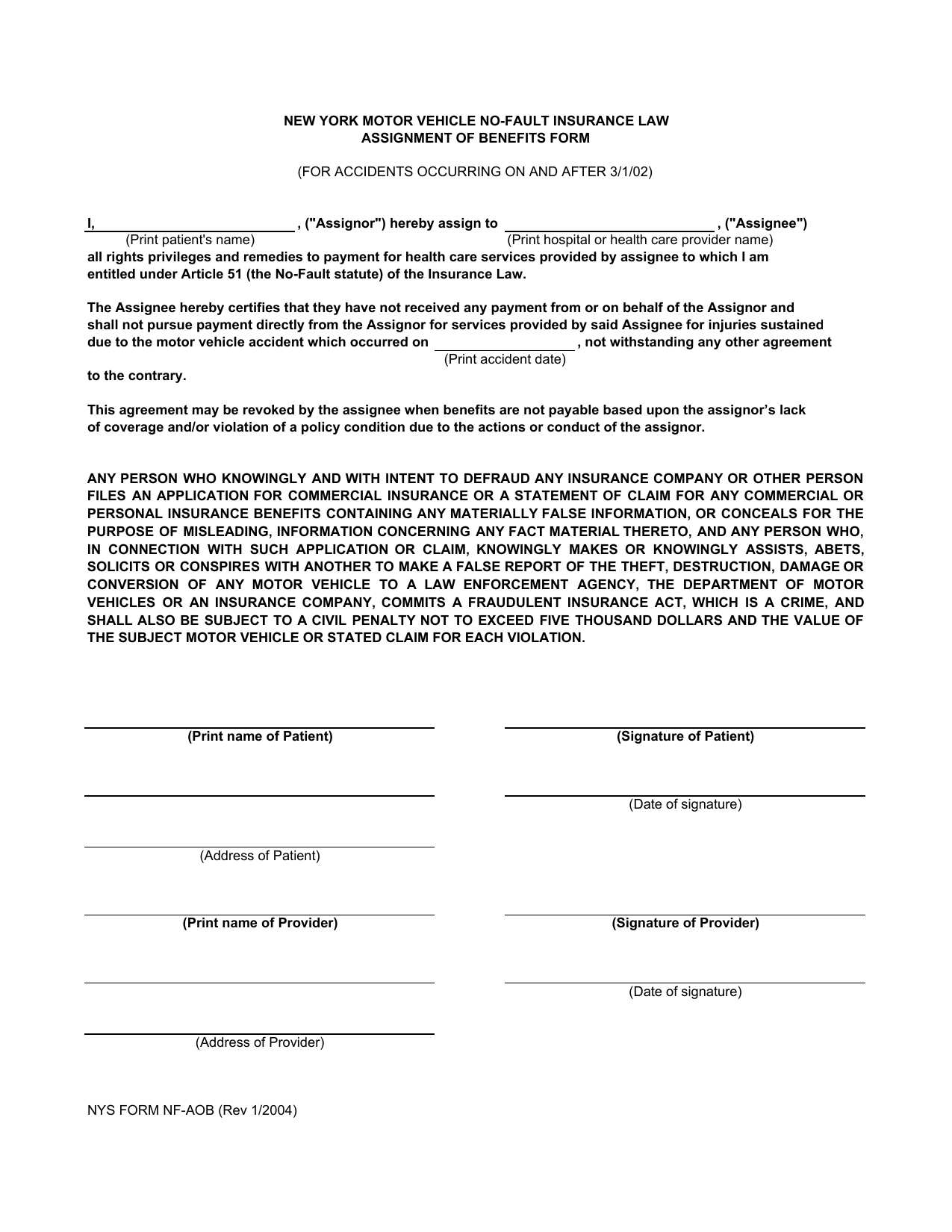
NF-AOB, NF-2 and OCA-960 are filled in from the patient’s answers and signed on screen, with the date, time and device recorded.
Every intake becomes a patient record you can search, edit and print. Bring your existing list over from Excel or CSV.
Status, case type, claim numbers, color flags, notes and follow-ups. One click shows which NF-2s are still not filed.
A month calendar and a day sheet in 15-minute rows. Book repeating visits, move them, and mark patients seen with one tap.
Record each visit, create bills, note when they were mailed, and log payments, denials and write-offs. It records money; it never moves it.
Plain-language answers: what is not billed yet, who has no attorney on file, which patients have not been in lately.
Snap insurance cards, police reports, denial letters and EOBs with a phone camera and file them under the right patient.
A friendly, searchable guide written for the front desk, with a glossary for no-fault, NF-2, lien and the rest.
Ready-made letters to insurers, attorneys and patients, in English and Español. Pick a patient and the claim number, address and dates fill in; edit it, then download a PDF or copy the text.
Your office details, opening hours and closed days, therapists and doctors, places of service, and your insurer, attorney and referrer lists, all in one friendly screen.
A simple log shows who did what, and when, at the front desk, with a short list of the people who use it. Pick your name when you start and it is recorded with each change.
PC name, address, phone, staff PIN, and the email that should receive intakes. Your kiosk address exists the moment you save.
Open your link in Safari, add it to the Home Screen and turn on Guided Access. Or print the QR card and let patients use their own phone.
Accident details, insurance, attorney, a tap-to-mark body map, health history, then the signatures. English or Spanish.
An email per intake with urgent flags on top (NF-2 days left, working at the time, clinical precautions) and the signed State forms as one PDF.
Each page shows the patient’s answers in place and their signature on the line, with the date, time and device recorded, plus an audit page. Download any form, or all of them, from the console.
Start with a free week. No card to start; subscribe whenever you’re ready and the kiosk stays connected. Cancel from your account at any time.
Start your free week → Already have an account? Sign inSet up your kiosk in a couple of minutes and try it with a real patient this week.
These are short summaries of how the service works. Ask us for the full written terms or a Business Associate Agreement at any time.
Contact details are being set up. Until then, reach us through the person who gave you access to Clearwell Intake.